
A WhatsApp CRM workspace for Mac
Sendumi brings customer records, leads, tasks and reminders into the same Mac workspace as your WhatsApp accounts. Capture an opportunity from a message, add its value and next action, then move it through your sales pipeline. CRM records are stored locally.
Free Early Access for Apple silicon Macs. No card or payment required until commercial release.
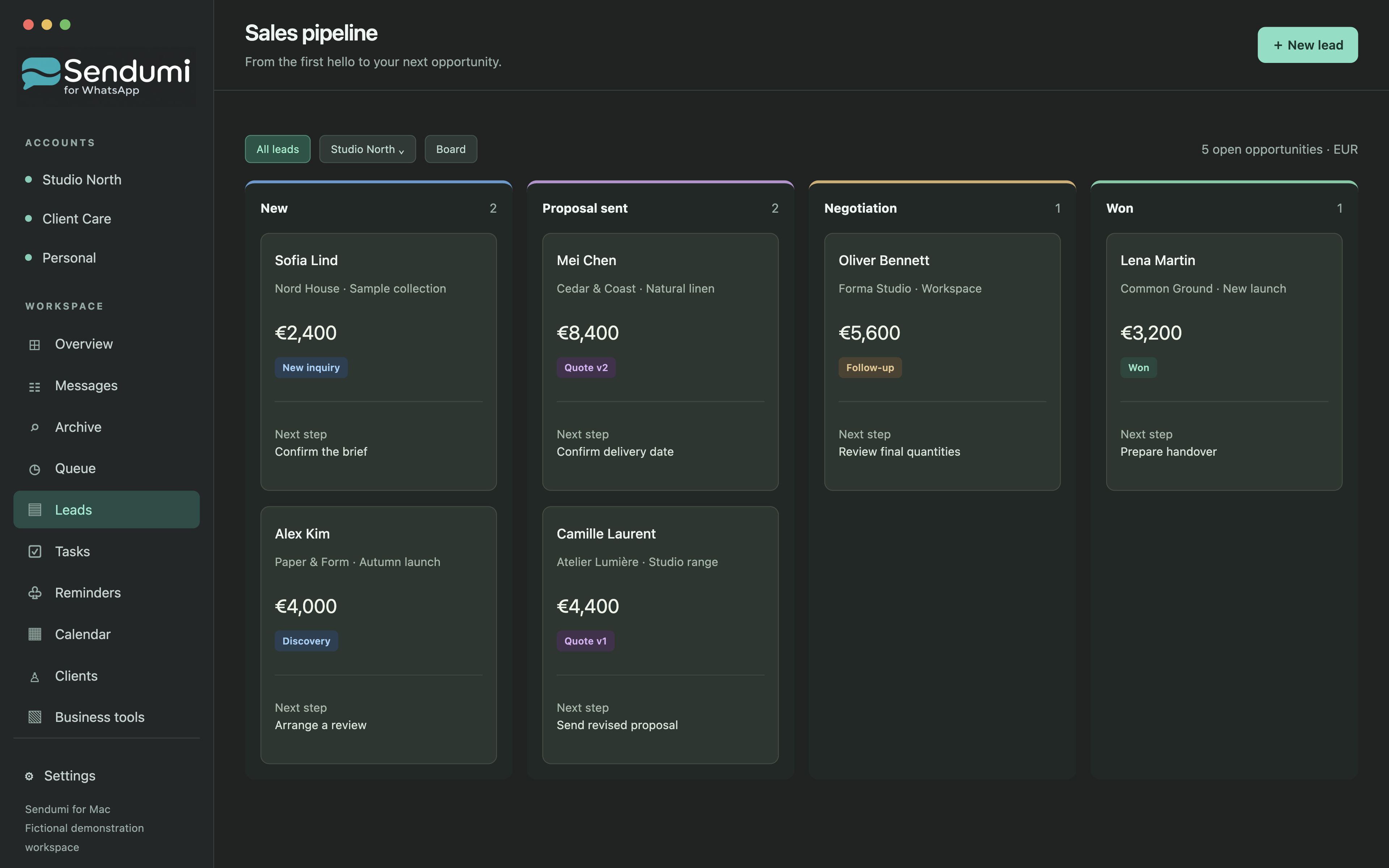
Keep the request connected to the opportunity
A useful sales record needs more than a contact name. Sendumi lets you connect the original request with the lead, notes and next action, so a promising conversation has a place in your pipeline.
Move leads between stages and reorder them within a column. Stage labels can be adjusted to your workflow while won and lost retain their outcome meaning. A reminder or task can help you return to an opportunity without searching through every conversation.
Bring existing customer information with you
Client import and export support Excel and CSV, with duplicate handling. You can also import Mac contacts. Review imported records before relying on their details, especially when similar company names or phone numbers appear more than once.
A saved phone number does not establish that a person uses WhatsApp or has agreed to receive newsletters. Customer organization and permission to contact someone are separate matters.
Use your product knowledge in the next reply
Business tools keep products, prices, company details and approved knowledge close to the conversation. Import a catalog and prepare versioned PDF quotations while keeping the next action visible in your customer workflow.
CRM records are local to the Mac workspace. WhatsApp communication and AI features still involve their respective online services. This page describes Sendumi’s product workflow; free Early Access is available now and commercial subscriptions remain in preparation.
The workflow, step by step
- Capture a lead from the relevant WhatsApp conversation.
- Record its value, notes and next action.
- Move the opportunity through the appropriate pipeline stage.
- Prepare the next response or quotation using the customer and product context.
Common questions
Where does Sendumi store CRM records?
CRM records are stored locally in the Mac workspace. Using WhatsApp and AI still involves the respective online services.
Can I import an existing customer list?
Yes. Sendumi supports client import and export through Excel and CSV, with duplicate handling, and can import Mac contacts.
Explore Sendumi
macOS 14 or later · Apple silicon (M1 or newer). Sendumi is an independent macOS app developed by InSpe. It is not affiliated with, endorsed by or sponsored by WhatsApp or Meta.
See planned pricing & availability