
Schedule WhatsApp messages on Mac
Sendumi lets you prepare a WhatsApp message, select the sending account, and choose a date and time. Personal messages require manual review and sending. Automatic scheduling uses a separately configured WhatsApp Business Platform account with Sendumi open and the Mac awake and online.
Free Early Access for Apple silicon Macs. No card or payment required until commercial release.
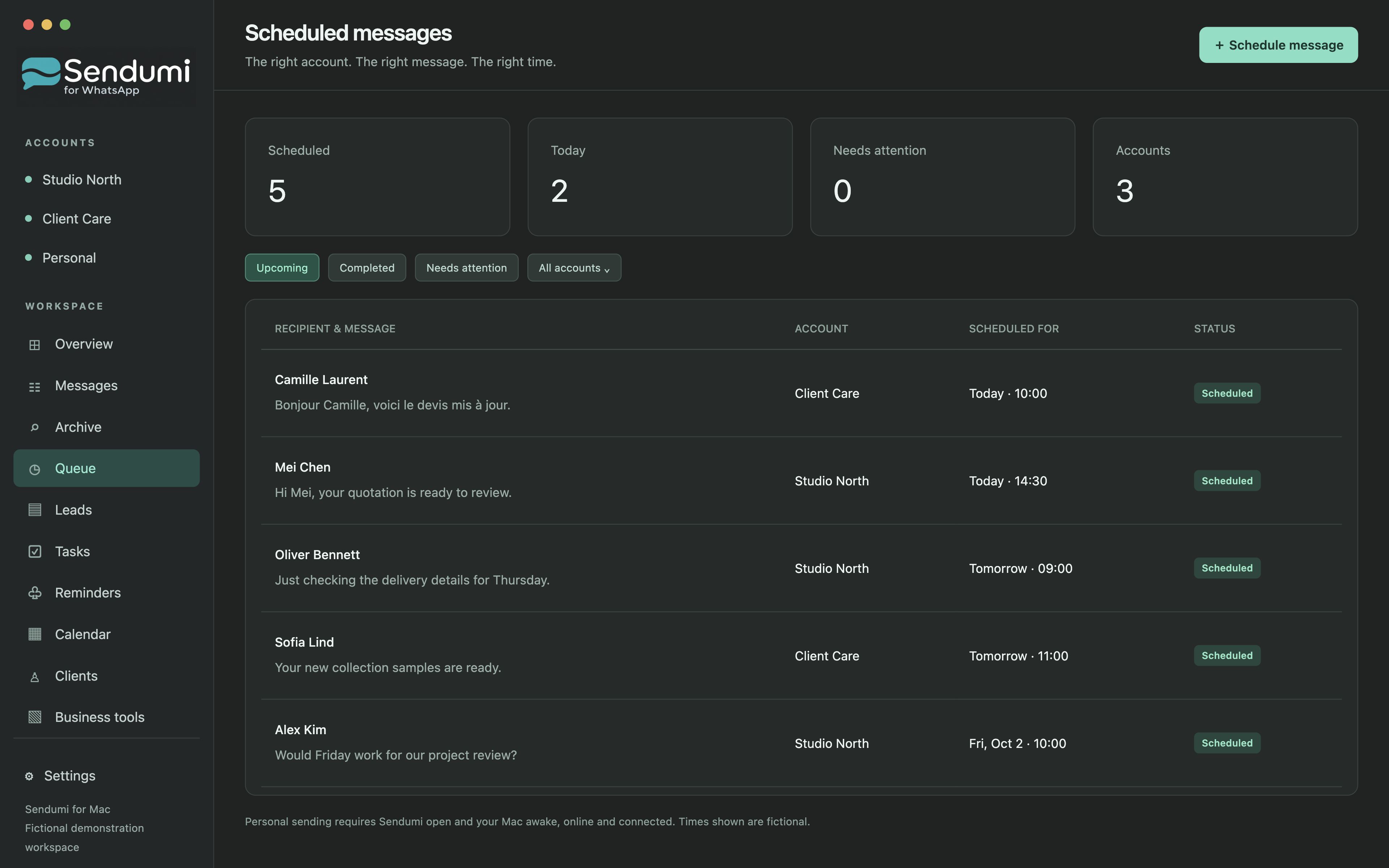
Turn a conversation into a planned follow-up
A customer may ask you to check back next week. Prepare the message while the context is fresh, select the correct sending account and choose the intended date and time. Upcoming items and their status are available in Queue.
This is useful when one Mac holds several WhatsApp accounts. Review the account as well as the recipient before scheduling, so a work follow-up uses the appropriate number. You can keep the planned next action alongside your customer work in Sendumi.
What happens if your Mac is asleep?
Business API scheduled sending runs on your Mac. It cannot run at the intended time while the app is closed, the Mac is asleep or offline, or the account is disconnected. Personal accounts use manual sending.
Review overdue messages in Queue after an interruption. A late follow-up may no longer be appropriate, so check the recipient, timing and existing status before retrying.
Review status before trying again
Queue gives you a place to review upcoming messages and sending status. If a result needs attention, inspect the available evidence before sending a second copy. A scheduled time and a completed delivery are different things.
Business Platform features have separate Meta setup and provider requirements. The personal-account workflow on this page does not imply a hosted scheduler that works independently of your Mac. Free Early Access is available now; commercial subscriptions are in preparation.
The workflow, step by step
- Prepare the message and choose the sending account and recipient.
- Select the intended date and time, then review the queued item.
- Keep Sendumi open and the Mac awake, online and connected when it is due.
- Review queue status after sending or an interruption before creating a repeat attempt.
Common questions
Can Sendumi send a personal WhatsApp message while my Mac is off?
No. Personal WhatsApp messages require manual sending. Business API scheduling also requires the Mac to be awake, online and running Sendumi.
Can missed scheduled messages be sent later?
Review overdue items and their status before retrying. Personal messages require manual sending; Business API jobs require a connected account and running Mac. Never retry an uncertain result without checking whether it was sent.
Explore Sendumi
macOS 14 or later · Apple silicon (M1 or newer). Sendumi is an independent macOS app developed by InSpe. It is not affiliated with, endorsed by or sponsored by WhatsApp or Meta.
See planned pricing & availability